SaaS software development

SaaS software development, built for your teams.

When teams grow, files and communications get scattered. A SaaS software can unify the workflow, provided roles are clearly defined.

Your workspace
From need to product

A whole journey. In one place.

DataSources to verify
AccessDefined roles
First useReady for a business trial
Journey illustration · conceptual interface

Your reality, our starting point

Data · Workspaces · Integrations

For reporting, B2B services, administrative teams, distributors, and companies managing recurring files.

Developing a SaaS software involves creating an application accessible online, operated and updated over time. Its value lies in how it supports a task: collecting information, verifying a file, or producing a result. At Umbeli, we start with data and responsibilities. The screens then make these rules understandable, so everyone knows what they must do without reconstructing the context across multiple tools.

From need to process

An import becomes shared information with the right access.

Explore the steps. This scenario illustrates an operation to adapt to your business.

  1. The file is verified before feeding the records. Errors are reported with enough context to be corrected.

  2. Files join the designated space. Each role accesses only the information and actions authorized for it.

  3. The user finds an exploitable view and can prepare an export if their role allows it. The source remains traceable.

Illustrative scenario

Data control

Input
Business file
Verification
Fields and formats
Error
Line to correct

Data to validate

Example of a process, without reservation or data submission.

Name the data before drawing the screens

Two teams can use the same word for different information. We clarify business objects: client, file, establishment, report, or intervention. For each, we need to know who creates it, who modifies it, and what it references. This step prepares imports, search, and exports. It also prevents a new screen from reproducing the ambiguities of existing files instead of resolving them.
Organize spaces and permissions

An individual account, a team, and an organization are not interchangeable. The process describes invitations, roles, and a user’s exit. Controls are applied server-side and verified with separate test accounts. Shared documents, exports, and direct links must follow the same rules. The model depends on your activity; it is not limited to adding a login page.

On the ground · Fepi

Scattered data do not yet tell an exploitable story.

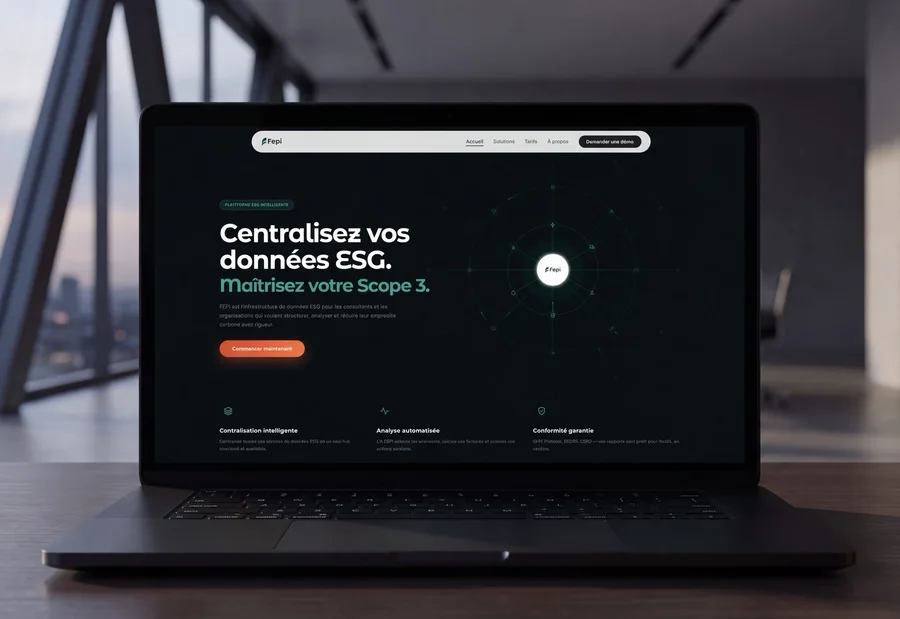
For its ESG reporting platform, Fepi had to gather information from invoices, CSV files, and ERP systems. The problem was as much in data collection as in data reading.

The mandate focused on a reporting platform that gathers these flows in a structured interface. This example shows why source connection and information presentation are designed together before adding new indicators.

Discover the project Fepi
Presentation of the ESG reporting platform · Fepi

What takes shape together

Software rules become verifiable workflows.

In SaaS software, one screen is not enough to describe functionality. Data, access, and exchanges must also be defined and tested.

A data map

Business objects, their relations, reference source, and import/export rules.

The validation pointA representative set allows spotting missing fields and duplicates before recovery.

A permissions matrix

Authorized actions for each role and limits between organizations or files.

The validation pointTesting also covers attempts to access an element belonging to another account.

Documented exchanges

Planned APIs and processes, their formats, possible errors, and recovery methods.

The validation pointAn interrupted exchange must not create duplicates or disappear without notification.

An operating plan

Environments, pre-delivery controls, and responsibilities for backups and incidents.

The validation pointCommissioning includes validation of access and chosen recovery procedures.

Link sources without losing their context

An import must explain what was accepted and what must be corrected. Connections to existing software specify the reference source, the direction of exchange, and duplicate handling. When APIs allow, synchronizations can be automated. When a controlled import is more suitable, we keep it visible. Logs and recovery procedures help trace the origin of an error.

Prepare difficult uses

A user closes their browser in the middle of an entry, imports a file twice, or opens a folder they no longer have access to. These situations are part of development. Tests cover essential paths and their expected failures. Performance is evaluated with volumes representative of the project, not with an abstract promise of unlimited capacity. Limits and scaling needs remain documented.

Deploy without abandoning maintenance

The launch includes access, backups, monitoring, and the rollback procedure adapted to the project. Updates must consider existing data. Dependency maintenance, third-party service fees, and support are distinguished from the initial cost. Documentation of operation helps your team understand the rules and evolve the software with the right references.

Choose according to your situation

Internal tool, client portal, or SaaS software?

These applications may share technologies but do not organize access and data the same way.

CriterionInternal toolClient portalMulti-organization SaaS
UsersYour teams and their managers.Your clients and the teams handling their files.Several companies, each with its users.
Main pathExecute a business task in your organization.Consult, submit, or validate elements of a file.Repeat the same service for different organizations.
Access to dataPermissions by function and internal responsibility.Separation between client files and rights of stakeholders.Isolation of organizations, roles and permissions to test.
ConnectionsYour company’s tools and files.Systems holding the records and their status.Sources that may vary from one client to another.
OperationTraining and support for an identified team.Invitations, customer support and exchange tracking.Onboarding new accounts, support, and business model to organize.

An internal tool does not automatically need to become a SaaS. The number of organizations, their rules and your commercial offer determine the product level to build.

Practical questions

Before starting

Will the software be usable on phone?

Web journeys can be adapted to small screens. We specify priority actions on mobile. Needs for camera, notifications, or offline work require specific study.

Can we import our Excel or CSV files?

Yes, if their structure and quality allow for a takeover. The project defines the fields, controls, duplicates, and necessary corrections. A representative sample is useful before estimating.

Is a particular architecture needed from the start?

The architecture stems from volumes, permissions, and expected integrations. We favor a comprehensible base adapted to the initial scope, with identified possibilities for evolution.

How to retrieve data later?

Exports, formats, and reversibility conditions must be defined in the mandate. Attachments, relationships between files, and rights needed for their retrieval must also be planned.

Your turn

And at your place, how does it go?

A client request, the tools you use, and what is blocking you today: this information helps us suggest a concrete starting point.

SaaS software development
Data · Workspaces · Integrations

Let's talk about your need

Would you prefer to speak to someone? +1 819 609-8335