CRMERPIntegrationsWorkflowsAPI

CRM & ERP

Your customers and operations, in one system.

Custom CRM and ERP systems connecting your customers, quotes, projects and operations, with automation built around your team.

Presentation of the management platform · Protecto Saguenay

    From need to project

    A client file must tell what happened and what comes next.

    Sales know the demand. The office prepares the file. The field team waits for details. When each holds part of the information, follow-up depends on those who remember to pass it on. A custom CRM and the operational management functions of an ERP organize this handover around your real steps.

    Construction companies, auto workshops, field services, professional offices, and sales teams each have their way of moving from first contact to work to be done.

    The starting point was not a number of modules to install. It was necessary to link the promise made to the client with the team's availability and work.

    Start from the file, then define the roles.

    We take a real request and follow its evolution: qualification, quote, validation, execution, and follow-up. At each step, we specify necessary information, responsible person, and next action. Access rights are organized around these responsibilities rather than a single identical screen for everyone.

    The CRM covers relationships and business opportunities. ERP functions can extend this tracking to resources, documents, or operations. Accounting, payroll, and inventory are not automatically included: each scope is defined, with tools that already do their job properly.

    On the ground · Protecto Saguenay

    The meeting starts at the client’s and continues at the workshop.

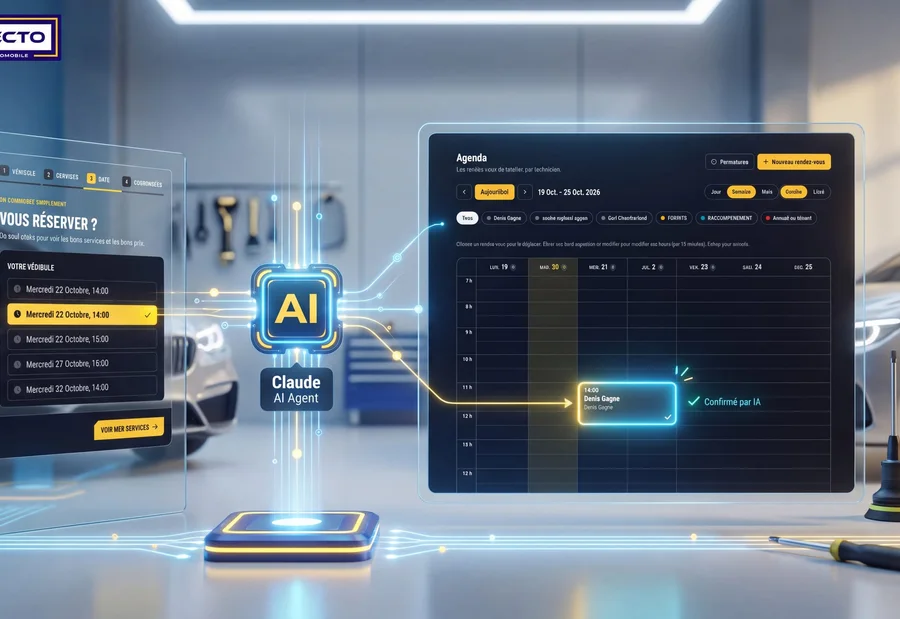
    Protecto had to connect booking, request qualification, and workshop schedules. Fragmented management forced teams to synchronize information manually.

    The mandate brought together clients, services, and schedules in a custom application. Online booking and the conversational agent rely on workshop availability. The client file becomes the passage point between request and operations.

    Discover the project Protecto Saguenay

    Presentation of the management platform · Protecto Saguenay
    Presentation of the management platform · Protecto Saguenay

    Keep what works and link what is missing.

    A standard CRM may suit when its steps match yours. A shared spreadsheet may still suffice for a small team. Customization is justified when business rules, documents, or connections impose too many workarounds. We compare these possibilities on the same use and their operating cost.

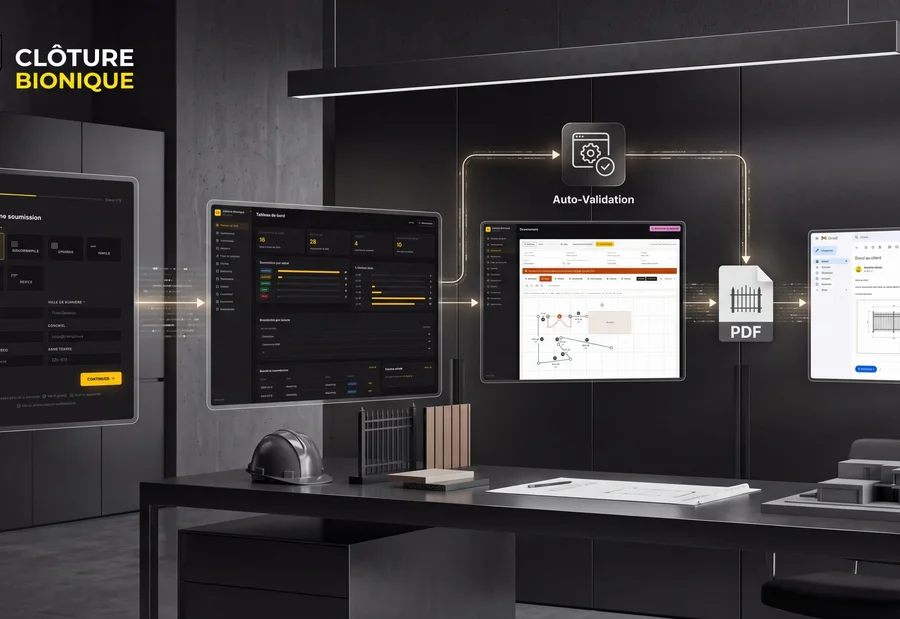
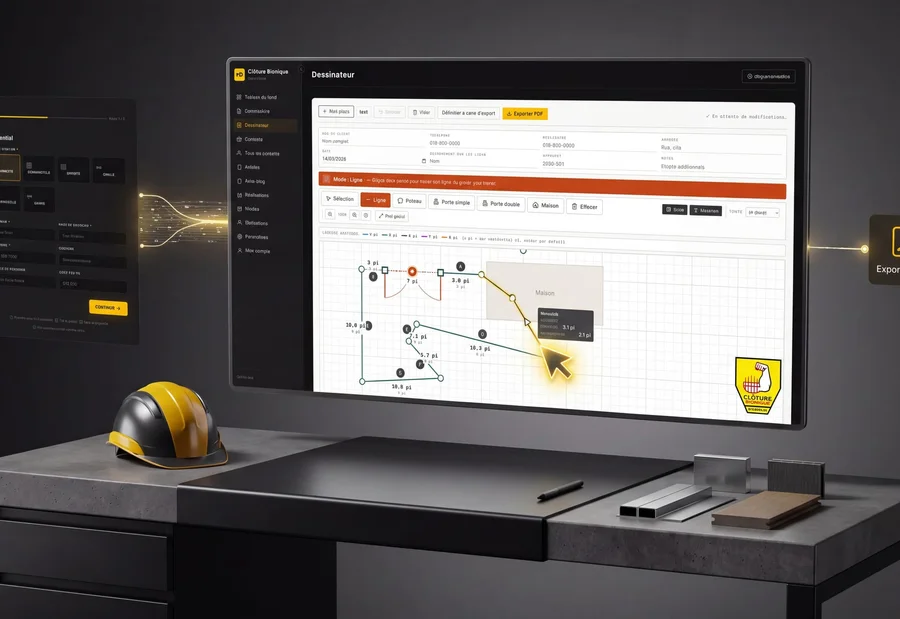
    Bionic Fence illustrates a need that goes beyond the contact book: the file must accompany the drawing of a plan and the production of a quote. This continuity guides the choice of modules. For your activity, it can take another form: reservation, intervention, delivery file or client area.

    The process at a glanceA shared file, clear responsibilities.
    1. CentralizeRequests and contact details
    2. PrepareDocuments and quotes
    3. SubmitOne step, one responsible
    4. FollowHistory and next action

    Successfully transition from the old tool to the new one.

    Migration starts with inventory of contacts, histories, and documents. Duplicates and useless information are handled before import. A sample verifies matches, rights, and rollback possibility. Training then relies on each role's tasks, with a responsible person identified for daily questions.

    The budget includes framing, interfaces, connections, data recovery, and support. Hosting, backups, export, licenses, and maintenance must be specified with access conditions and code ownership. Data localization and retention are decided according to the data processed and the services chosen.

    How the project takes shape.

    1. Follow a file

      We identify the steps, responsibilities, and information each person must find.

    2. Test with the team

      A first journey and a trial migration allow verifying usage before the switch.

    3. Support the onboarding

      Training, access, and support are prepared so the software integrates into daily work.

    A concrete first scope

    Start with a file the whole team can follow.

    In construction, a request becomes a visit, measurements, and a quote. In a workshop, it relates to a vehicle, a service, and availability. For a B2B team, it goes through qualification and follow-ups. Fields and responsibilities must follow these trades.

    01

    The first delivery.

    A first useful path, then evolutions guided by usage.

    A first batch can cover contacts, files, commercial steps, tasks, and access rights. A small group tests the journey on real cases. Imports start with a sample: field matching, duplicates, documents, and verification by your team.

    Generating quotes, a field schedule, a client portal or an accounting connection are then decided. They require their own rules and tests. Replacing payroll or all accounting is not implicit in creating a CRM.

    02

    The budget over time.

    Distinguish project creation from its daily operation.

    Compare over the same duration: initial design and migration, hosting, backups, maintenance, licenses and third-party service consumption. Custom can avoid some functional limits but does not remove operating costs.

    A file must be able to pass from one person to another without losing its history. The lead verifies permissions, imports, reminders, and exports. Training covers these same tasks; the contract sets the access granted, support, and maintenance responsibilities.

    A spreadsheet, a standard CRM or a custom CRM?

    The right choice depends on your files, your team, and the necessary connections. Here are the trade-offs to consider before investing.

    CriterionShared spreadsheetConfigured standard CRMCustom CRM
    When appropriateSmall volume and simple tracking, with few people.Common sales stages and need to start with proven functions.Rules, documents or flows difficult to cover with existing tools.
    ImplementationQuick to create structure; conventions and data quality to maintain.Configuration, import and training; adaptation of certain habits.Framing, mockups, development and pilot before generalization.
    Full costPossible license and time spent on handling and control.Subscriptions, configuration, modules and possible connectors.Initial investment, hosting, maintenance, and possible third-party services.
    Connections and business rulesExports and scripts possible, with caution on duplicates.APIs and connectors depending on the tool and its plan; limits to verify.Connections designed for the process, subject to access to third-party systems.
    Permissions and historyDepend on the spreadsheet; a shared file does not replace detailed business tracking.Functions available depending on product; check roles and exports.Roles, history and exports to be explicitly designed and tested.
    Evolution and maintenanceFlexible at first; formulas and versions become harder to follow as it grows.Evolutions managed by the publisher, with dependence on their choices and rates.Evolutions prioritized by your company, with a budget and maintenance responsibility.

    These are decision markers, not universal features. Check the offers, licenses, and commitments of the chosen provider over the same scope and duration.

    Your profession, your background

    How this applies in your sector

    All sectors ↗

    FAQ

    Frequently asked questions about this service

    A few useful answers before we start. And if you need more context, the full FAQ page is available too.

    Yes. We regularly take over websites, apps and digital tools already in place. We begin with an audit to understand what can be kept, improved or rebuilt, then propose a realistic roadmap.

    We first analyze operations and friction points, then connect your tools through tailored workflows. This can involve CRM, follow-ups, billing, support, lead qualification, internal production or other repetitive low-value tasks.

    Yes, when it creates real value. We use AI to automate tasks, improve workflows, assist teams, qualify requests or speed up internal operations. The goal is not to add AI for show, but to solve practical business problems.

    Yes. We can handle technical follow-up, updates, fixes, small improvements and responsive support after launch. The level of support depends on your needs and how fast the project is expected to evolve.

    THE NEXT CHAPTER STARTS WITH YOU

    Let's talk about your starting point.

    Show us how a request currently moves from sales to operations. Re-entries, documents, and waiting points will define the first useful scope.

    Let's talk about your company

    Your profession, your tools, what you would like to improve: give us the starting point.

    Would you prefer to speak to someone? +1 819 609-8335